DualShock Calibration GUI
Calibrate your PlayStation controller sticks
Please connect a DualShock 4, a DualSense or DualSense Edge controller to your computer via USB cable and press Connect.
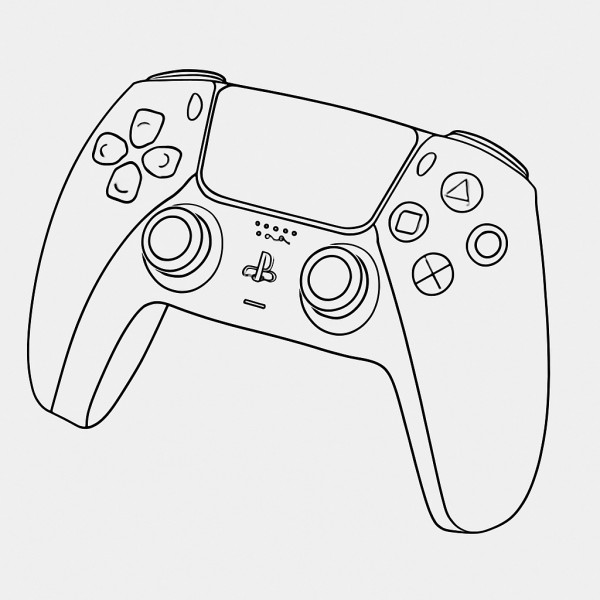
DualShock Calibration GUI - Professional Controller Calibration
DualShock Calibration GUI is a web-based tool that uses undocumented USB commands to recalibrate PlayStation controller analog sticks at a factory level with the DualShock Calibration GUI interface.
Factory-Level Calibration
Access the same calibration commands used during controller manufacturing to fix stick drift and improve accuracy.
Multiple Controller Support
Works with DualShock 4 (V1 & V2), DualSense, DualSense Edge, and VR2 controllers via USB connection.
Permanent Changes
Save calibration directly to controller firmware, ensuring it works across all connected devices.
Key Features
Professional-grade calibration tools for PlayStation controllers.
Stick Center Calibration
Precisely calibrate the neutral position of analog sticks to eliminate dead zones and drift.
Range Calibration
Calibrate the full range of motion for both sticks, ensuring accurate response across all positions.
Clone Detection
Automatically detect counterfeit DualShock 4 controllers that cannot be calibrated.
Real-time Visualization
See your stick positions in real-time with circularity testing and accuracy measurements.
Quick Test
Run through comprehensive tests to verify your controller's buttons, sticks, triggers, speaker, lights, and more.
Controller Information
View detailed hardware and firmware information about your connected controller.
Open Source Project
Community-driven development with full source code available on GitHub.
How to Use DualShock Calibration GUI
Use DualShock Calibration GUI to calibrate your PlayStation controller in simple steps:
FAQ
Frequently Asked Questions
Common questions about using DualShock Calibration GUI for controller calibration.
1
Does this fix stick drift?
Stick drift is usually caused by physical wear or dirt. DualShock Calibration GUI can help recalibrate after replacing worn joysticks, but won't fix physical damage. DualShock Calibration GUI is best for improving accuracy and fixing poor factory calibration.
2
Which controllers are supported?
DualShock Calibration GUI supports DualShock 4 (V1 and V2), DualSense, DualSense Edge, and VR2 controllers. Controllers must be connected via USB cable - Bluetooth connections are not supported when using DualShock Calibration GUI.
3
Are the changes permanent?
Yes, when you click 'Save changes permanently', the calibration is written directly to the controller's firmware. The calibration will persist across all devices including PS4/PS5 consoles.
4
Is this safe for my controller?
Yes, DualShock Calibration GUI uses the same calibration commands used during manufacturing. You can use DualShock Calibration GUI to recalibrate multiple times without damaging your controller.
5
Why does my browser need to support WebHID?
WebHID API allows web applications to communicate directly with USB devices. Currently, Chrome and Edge browsers support this feature. Firefox and Safari do not yet support WebHID.
6
Can I reset to factory calibration?
No, once you save a permanent calibration, you cannot revert to the original factory settings. However, you can perform a new calibration at any time to overwrite the previous one.
Guides & Resources
Helpful guides and resources for PlayStation controller users.
Ready to Use DualShock Calibration GUI?
Connect your controller and start using DualShock Calibration GUI now.
网址:DualShock Calibration GUI https://klqsh.com/news/view/356793
相关内容
在台式电脑上安装 SteamOS – 分步 GUI 指南(带有可选的 CLI)How to find file in Linux
Steamcommunity 302 Ver.14.0.01 – Dogfight360
Netease云音乐无损解析工具
1.20.1/1.21.1 最新版背包使用指南
情深深雨蒙蒙 歌词
冶金灌注机 (Metallurgic Infuser)
自定义附魔台 (Enchantment Custom Table)
檀健次新剧揭露人性阴暗面引发热议
家庭和谐的布局艺术与风水智慧
随便看看
最新乐趣
- 书卷体会到了什么叫猪队友宋一梦想杀南珩太难了
- 姐姐变丈母娘,姥姥变婆婆,舅舅娶外甥女,真绝啊!
- 《邪恶椰子鸡计划》达成
- 不顾父母的反对远嫁他乡,婚礼当天收到一条转账信息,我泣不成声
- 古特雷斯还没卸任呢,俄罗斯那边已经迫不及待,要清算联合国秘书长了
- 特朗普要给AI改名,马斯克:它会聪明到让我们无法理解
- 对话徐直军:被低估的灵衢,重新理解AI算力
- 前OpenAI研究员推出首款“System One”模型引爆AI圈:不生成文本,专为机器做快速决策
- 从磁带厂到全球科技集团:李东生给创业者的三堂课
- 小鹏计划向大众汽车之外的更多车企开放技术
热点乐趣
- 89544
- 77701
- 64120
- 60002
- 39700
- 35121
- 32095
- 22616
- 22205
- 21334